
Download Instaport – Free Instagram Backup Tool for Android, iPhone & PC
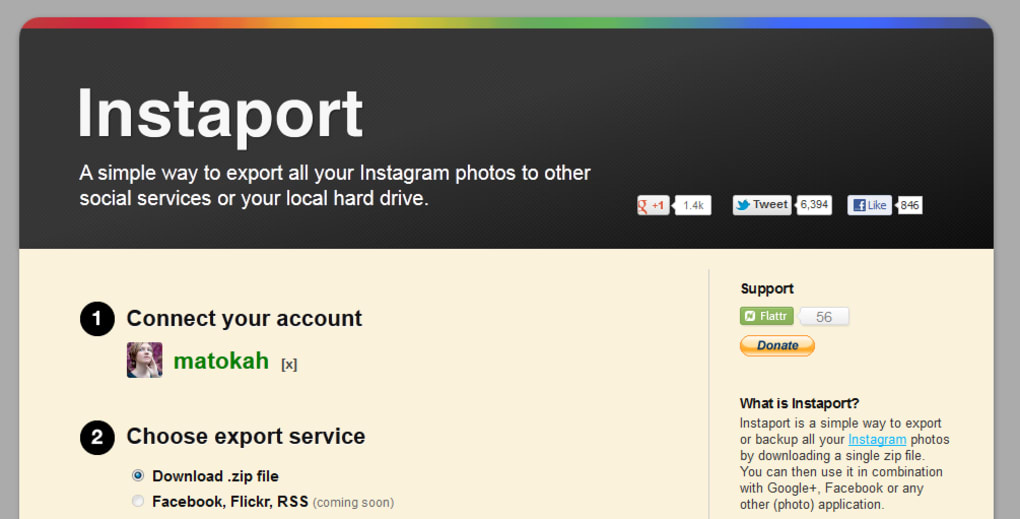
Instaport is a lightweight, web‑based utility designed to help Instagram power users safely export and back up their photo library. Whether you’ve accumulated thousands of images on your Android or iPhone, or you simply want a reliable offline copy of your visual memories, Instaport offers a one‑click solution that works directly from your browser. After signing in with your Instagram credentials, you can select the “Download .zip file” option, hit the green “Start Export” button, and let the service compile a compressed archive of every picture you’ve posted. The process is intentionally straightforward: no extra software, no hidden fees, and no need to grant third‑party apps invasive permissions beyond the standard Instagram login. While the current version only supports a local .zip download, the roadmap hints at future integrations with cloud platforms such as Facebook, Flickr, and RSS feeds. Advanced filters let you narrow the export by date range, specific hashtags, or a custom number of recent posts, giving you fine‑grained control over the data you retrieve. Even though heavy traffic or massive libraries can slow the export, Instaport remains one of the most user‑friendly options for safeguarding your Instagram memories without compromising security or privacy.Key Features of Instaport
- One‑click bulk export: Download every Instagram photo you’ve ever posted as a single .zip file.
- Selective date‑range export: Choose a start and end date to back up only the photos taken within that period.
- Hashtag filtering: Export images that contain specific tags, perfect for organizing themed collections.
- Customizable batch size: Limit the export to the most recent N photos if you don’t need the full archive.
- Cross‑platform accessibility: Works on any modern browser, making it usable from Windows, macOS, Android, or iOS devices.
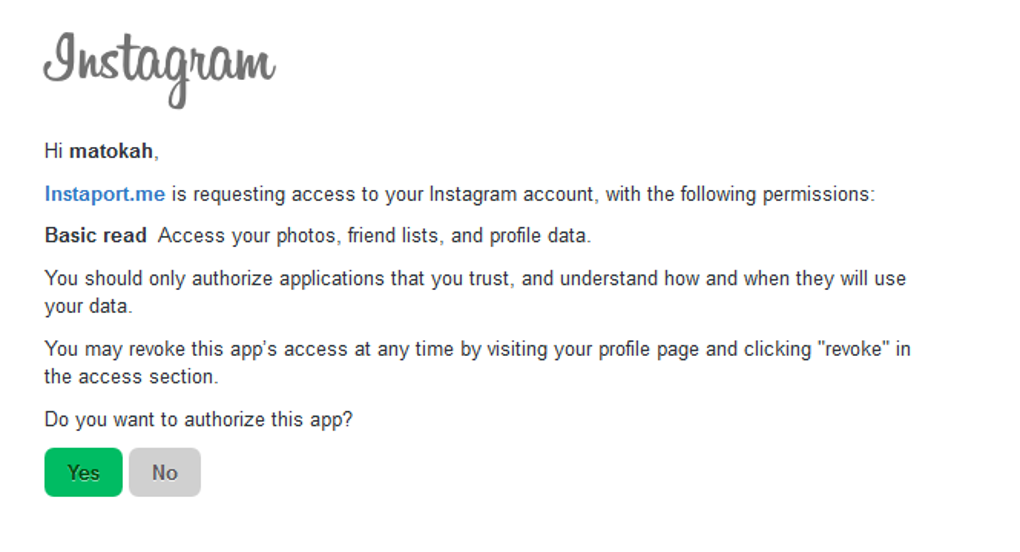
- Secure authentication: Uses Instagram’s OAuth flow; no password is stored on Instaport’s servers.
- Future cloud sync roadmap: Planned support for direct export to Facebook, Flickr, and RSS feeds.
- Free of charge: The core export functionality is completely free, with no hidden subscription fees.
Installation and Simple Usage Guide
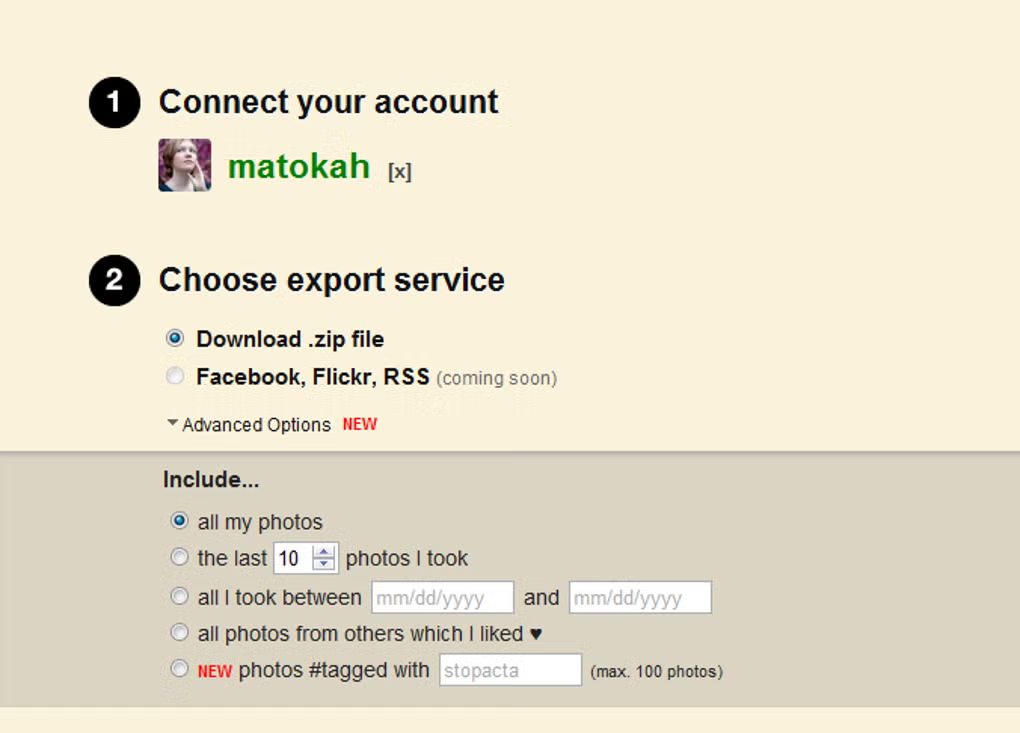
Getting started with Instaport requires no download or installation—simply open your preferred browser and navigate to the official Instaport website. The first step is to click the “Sign in with Instagram” button, which redirects you to Instagram’s secure OAuth page. After granting the minimal permissions required (read‑only access to your media), you are returned to Instaport’s dashboard. From there, you can choose between several export modes:
- Full library export: This is the default setting and will gather every image you have ever posted.
- Recent photos: Specify how many of your latest posts you want to download (e.g., the last 100).
- Date range: Pick a start and end date to limit the export to a specific timeframe.
- Tag‑specific export: Enter one or more hashtags to pull only images that contain those tags.
After configuring your preferences, click the bright green “Start Export” button. Instaport begins queuing your media on its servers, compresses them into a .zip archive, and then presents a download link once the process completes. Large libraries (over 5,000 images) may take several minutes, especially during peak traffic periods, but the service provides real‑time progress indicators so you always know how much is left. Once the file is ready, simply save it to your computer, external hard drive, or any other storage solution you prefer. The entire workflow is designed to be intuitive for users of any technical level, eliminating the need for complex command‑line tools or third‑party desktop applications.
Compatibility, Pros, Cons and Frequently Asked Questions
Supported Operating Systems: Instaport runs entirely in the browser, so it is compatible with Windows 10/11, macOS Ventura and later, Android 8.0+, and iOS 13+. All you need is a modern browser such as Chrome, Edge, Firefox, or Safari.
Pros
- Completely free and does not require any installation.
- Secure OAuth login ensures your Instagram password never touches third‑party servers.
- Highly customizable export options (date range, hashtags, batch size).
- Works on any device with a web browser, eliminating platform lock‑in.
- Fast for small to medium libraries; progress bar keeps you informed.
Cons
- Export speed can degrade during periods of high server load.
- Only .zip download is currently supported; no direct cloud sync yet.
- Very large libraries (10,000+ images) may require several hours to process.
- Relies on Instagram’s API rate limits, which can occasionally pause the export.
- Advanced filtering options are limited to tags and dates; no facial‑recognition grouping.
FAQ
Can I export my Instagram videos with Instaport?
Yes. Instaport includes both photos and videos in the .zip archive, preserving the original file format and resolution.
Is my Instagram password stored on Instaport’s servers?
No. Instaport uses Instagram’s OAuth protocol, which means your credentials are verified directly by Instagram and never saved by Instaport.
What happens if the export process is interrupted?
If the connection drops, Instaport will pause the job and allow you to resume from the last completed batch. You’ll receive an email notification when the export is ready again.
Will Instaport work on my older Android phone?
As long as the device runs Android 8.0 or newer and has a modern browser, Instaport will function correctly. Older versions may lack required security features.
Is there a limit to how many photos I can export at once?
Instaport does not impose a hard limit, but extremely large libraries may experience longer processing times due to Instagram API rate limits and server load.
Conclusion – Why Instaport Is the Best Free Instagram Backup Solution
If you’re looking for a secure, no‑cost way to preserve every image and video you’ve shared on Instagram, Instaport delivers exactly what you need. Its browser‑based approach eliminates the hassle of downloading and installing separate software, while the OAuth login keeps your credentials safe. The ability to filter by date, tag, or batch size gives you precise control over the export, making it ideal for both casual users and professionals who need to archive specific campaigns.
Although high traffic can slow the process for massive libraries, the service’s reliability and transparent progress updates make the wait worthwhile. With future plans for direct cloud integration, Instaport is positioned to become an even more comprehensive backup hub. Download Instaport today, export your Instagram memories, and keep your visual story safe for years to come.



.png)



